Content
Versions
Interaction Design / Usability Testing
About Contentful
Contentful is an API-first content management platform that helps aggregate, structure and deliver content across an organization’s digital footprint. The platform integrates all technologies with a unified content hub that uses the MACH approach: microservices, API-first, composable and headless.
Project Overview
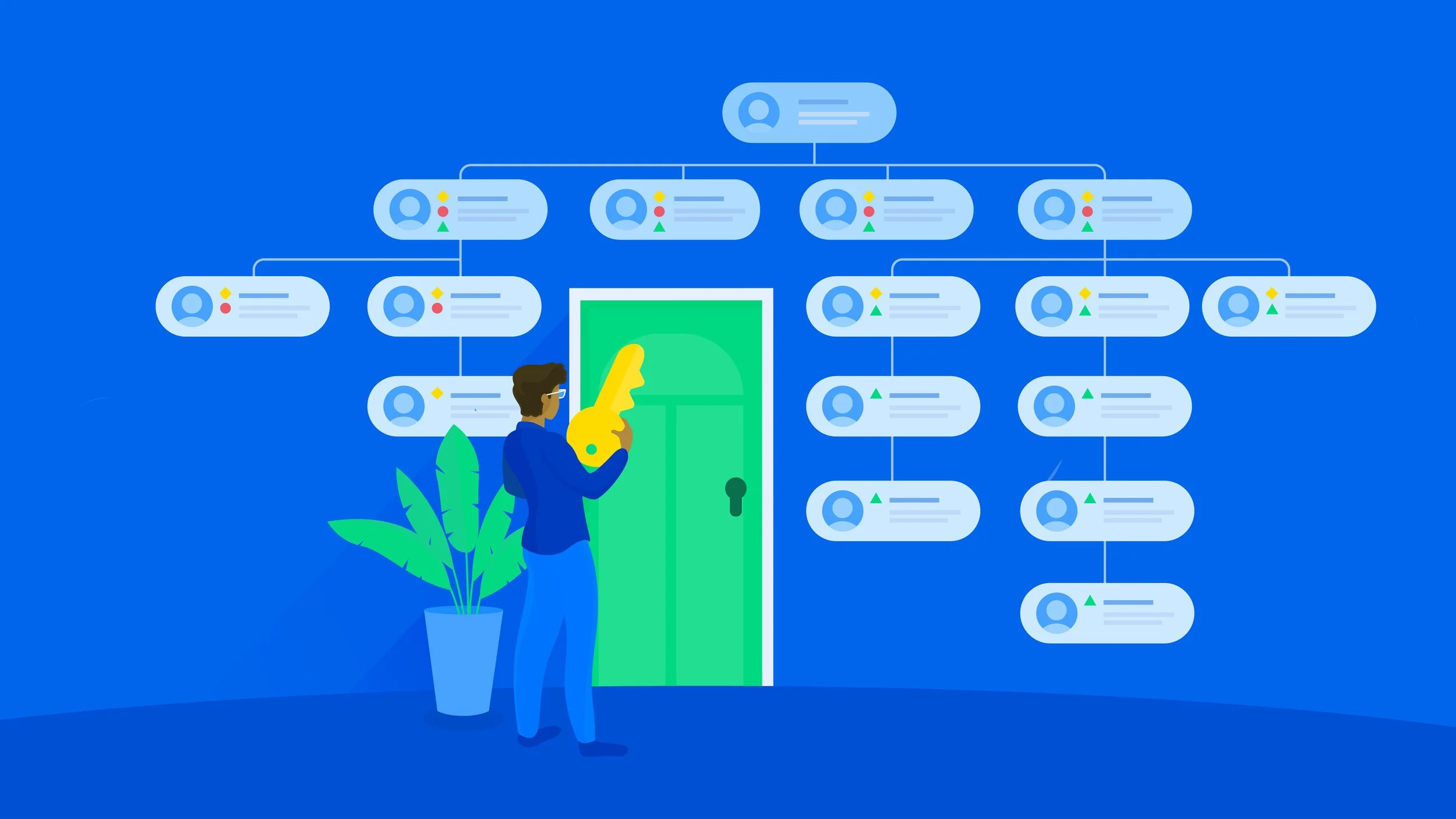
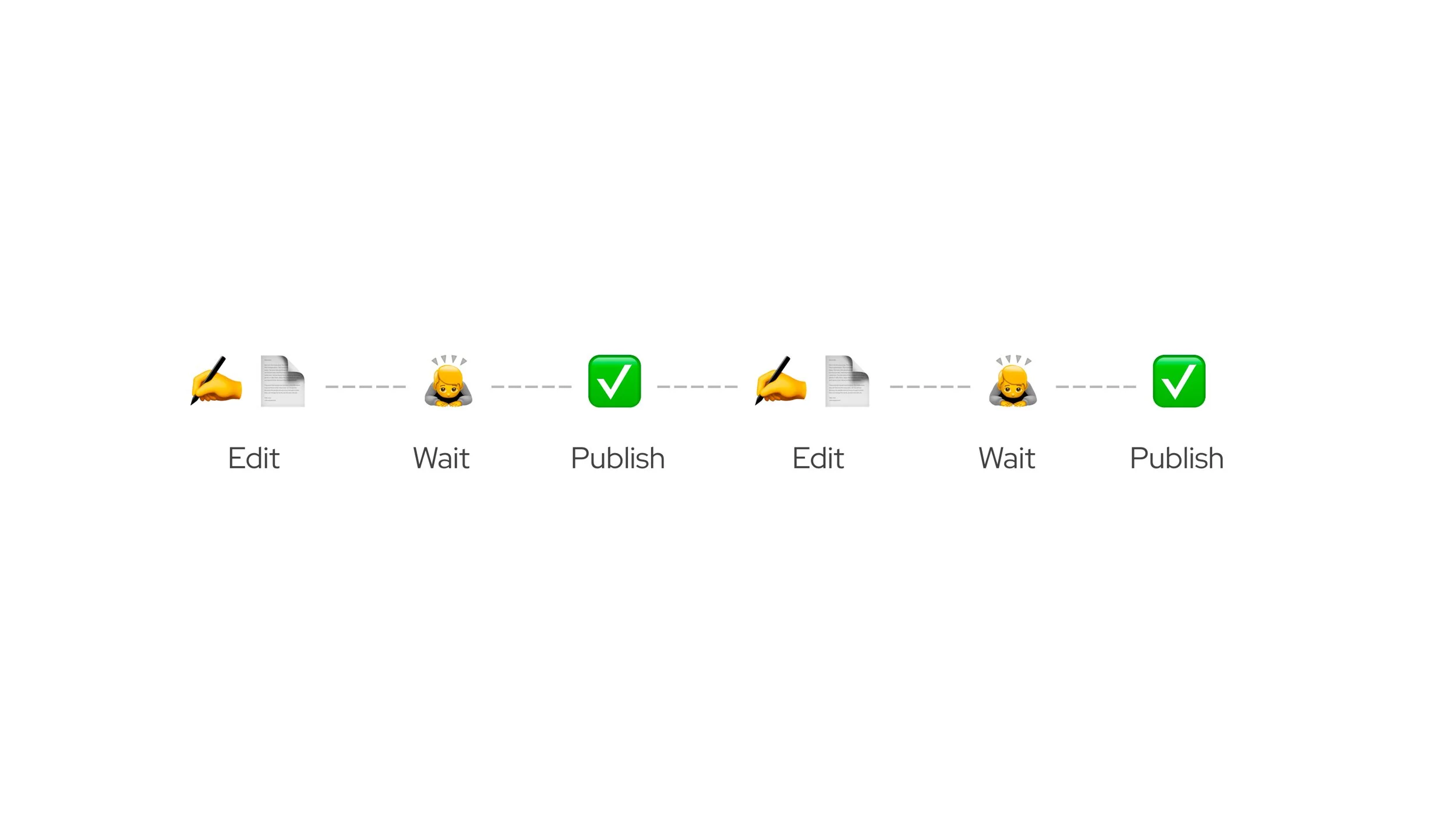
Contentful’s new set of users: creators and orchestrators are blocked from preparing content that needs to be presented in different ways during a campaign’s life cycle or used across multiple campaigns. The current functionality allows them to only work on one version at a time.
This adds overhead to their content editing and review process because they cannot visualize their content ahead of time in Contentful. It also incentivizes users to prepare their revisions outside of the ecosystem to avoid bottlenecks created by Contentful.
Scheduling multiple versions of content was the top rated feature from the MaxDiff survey that was conducted during the early access programme for Contentful Apps.
The inability to schedule different versions impacted Campaign Mangers from planning their time-off. They had to wait for the tenure of a content to be over and keep awake at odd hours to reflect new changes.
My Role
Overall, my role as a senior product designer involved building products and experiences that elevate the API-first content platform from being developer-centric to embracing creators, orchestrators and campaign planners. I worked closely with product, research, engineering and the leadership to champion for customer needs as they navigate through the complex ecosystems of content management.
Interaction Design
For this project, I explored solutions from multiple directions and presented to the Product Advisory Board. In the process of finding the right solution, I conducted innovation workshops, created concept diagrams (technical and customer-facing UI), user journeys and story maps. I assimilated insights gathered from the usability testing and iterated on our approach. Finally, I translated my low-fi wireframes into dev-ready hi-fi design deliverables that are in-sync with the design system of Contentful.
Collaboration
Due to the highly technical nature of the project, I collaborated closely with the Staff Engineer and the Opportunity Lead (Engineering) to understand and leverage the tech architecture for our solution. I also partnered with User Researchers for in-depth interviews, usability tests with our customers and documented the findings and patterns.
Design Iterations
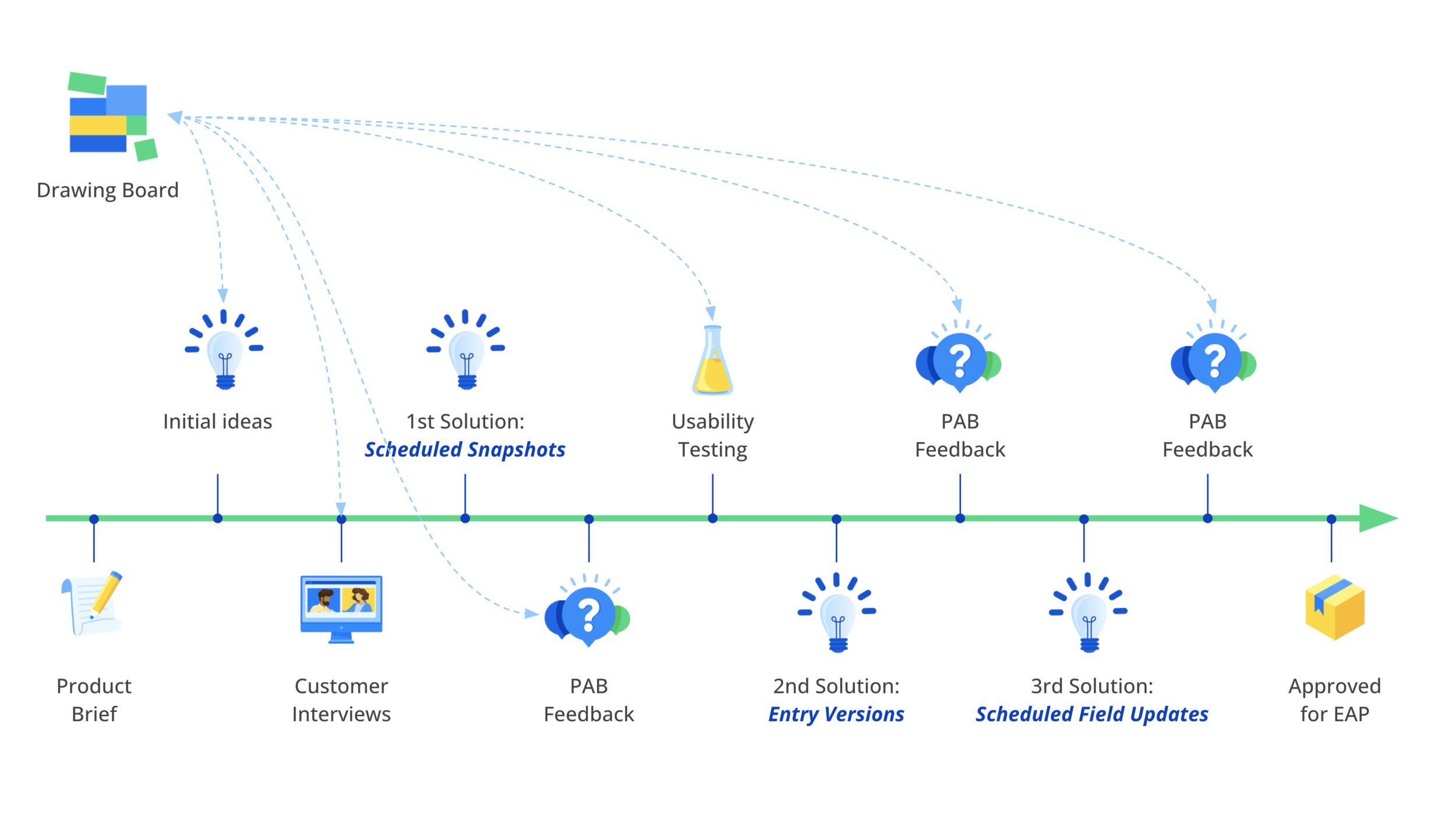
For this presentation, I’ll focus on a few critical stages of the design process: ✅ customer interviews, ✅ early concepts, ✅ usability test results, ✅ PAB feedback, ✅ the final concept and ✅ key learnings.
We went back to our users to understand the scale / flexibility they were expecting from iterative content:
“Editorial team needs better solutions”
Senior Developer, Cambridge University Press
The engineering team currently publishes and unpublishes maintenance banners multiple times with smaller changes, via a work-around. Once the editorial team joins, they will find it harder to manage multiple pieces of content without the versions ability.
“Prepare in advance and go for holidays”
Shop & Marketing Manager, Witt-Gruppe
Currently needs to change the home page, once a week, with different promotional cards.
“We have new banners every few hours”
Dept for Channel 4
Depending on the time of the day, the banners for different shows need to be updated. The page structure remains the same.
“Versions and a time-machine”
Tech Lead, Matches Fashion
The team wants to preview various versions of content to know what it would look like in future. That would help build confidence. They’d also like a similar function to see the past versions for audit purposes.
-
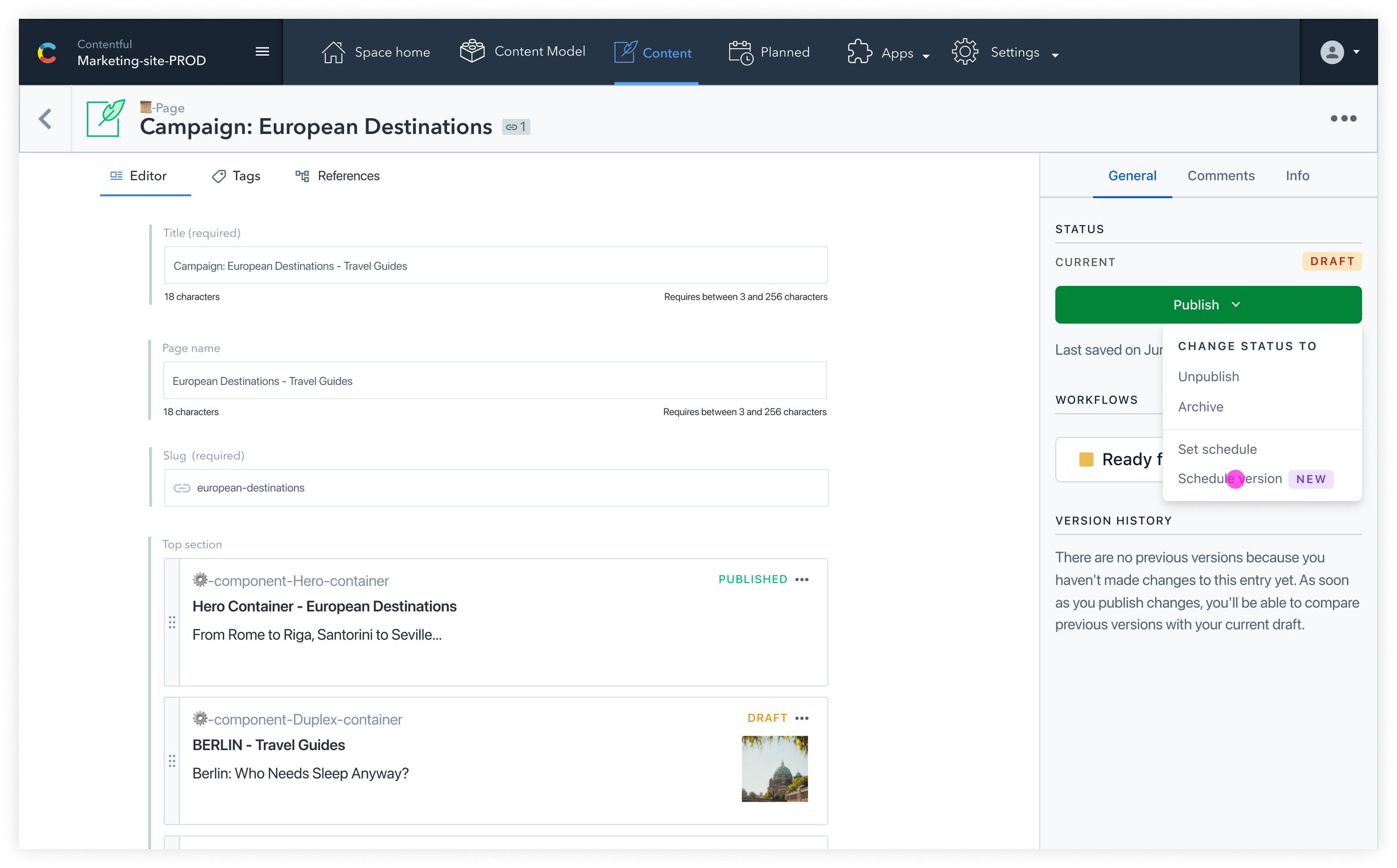
Scheduling a version
Making a bunch of edits to an entry and capturing that state in a scheduled version. Then going on and making modifications for another version.
-
Field-level changes
Changing a banner image, adding or removing a field, updating text, discounts cards from 50% to 35%.
-
Rescheduling / removing schedules
Expectations around quickly editing the date/time of a scheduled version or removing that schedule altogether.
Solution via ‘Snapshot API’
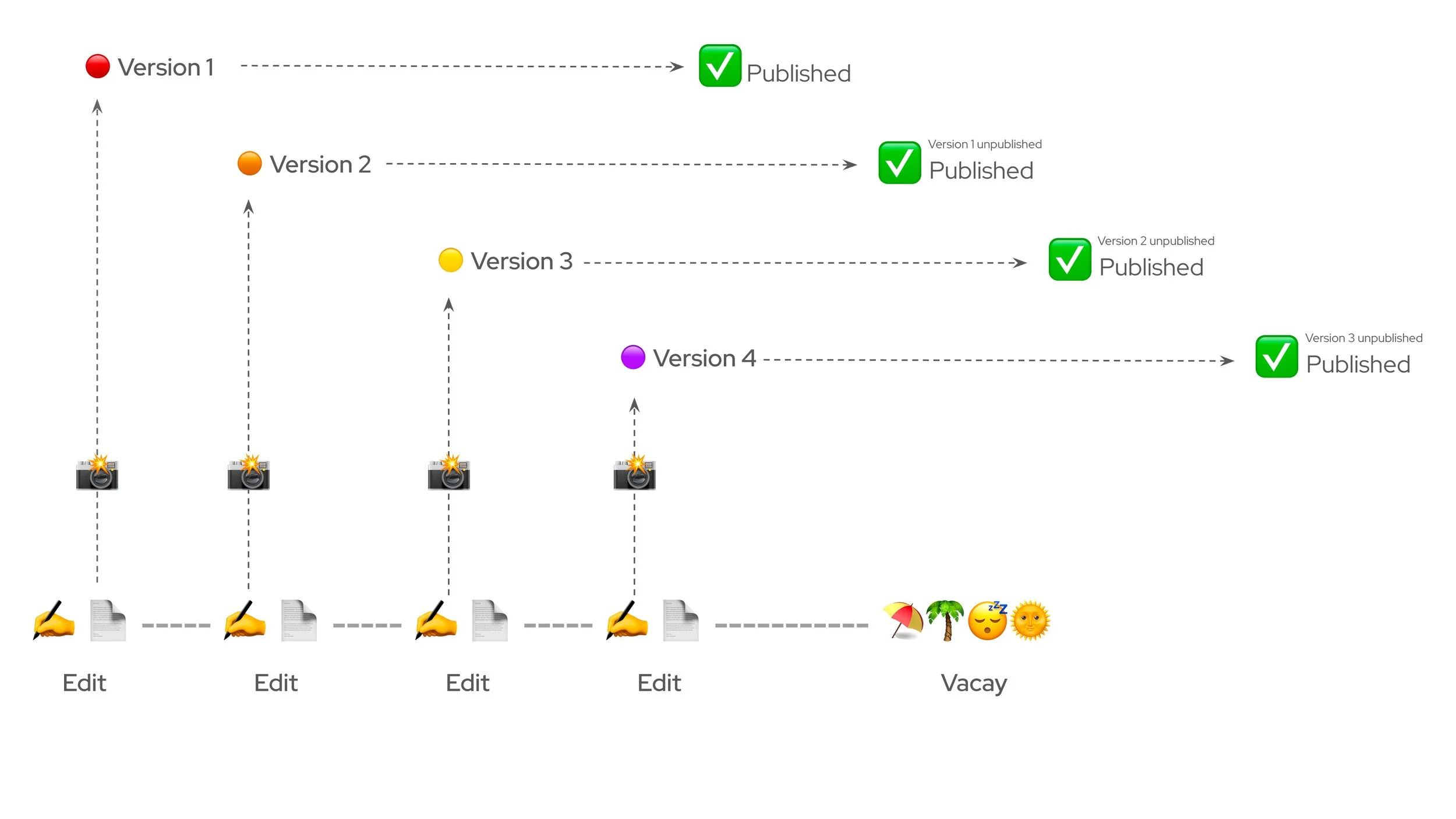
Our early concept explored the Snapshot API as a solution to capture versions of content. These versions can be scheduled in advance for releasing one-by-one replacing their previous states. However, the drawback of using the existing Snapshot API was that each scheduled version would be immutable and users will not be able to edit them once they were created.
Design diagram
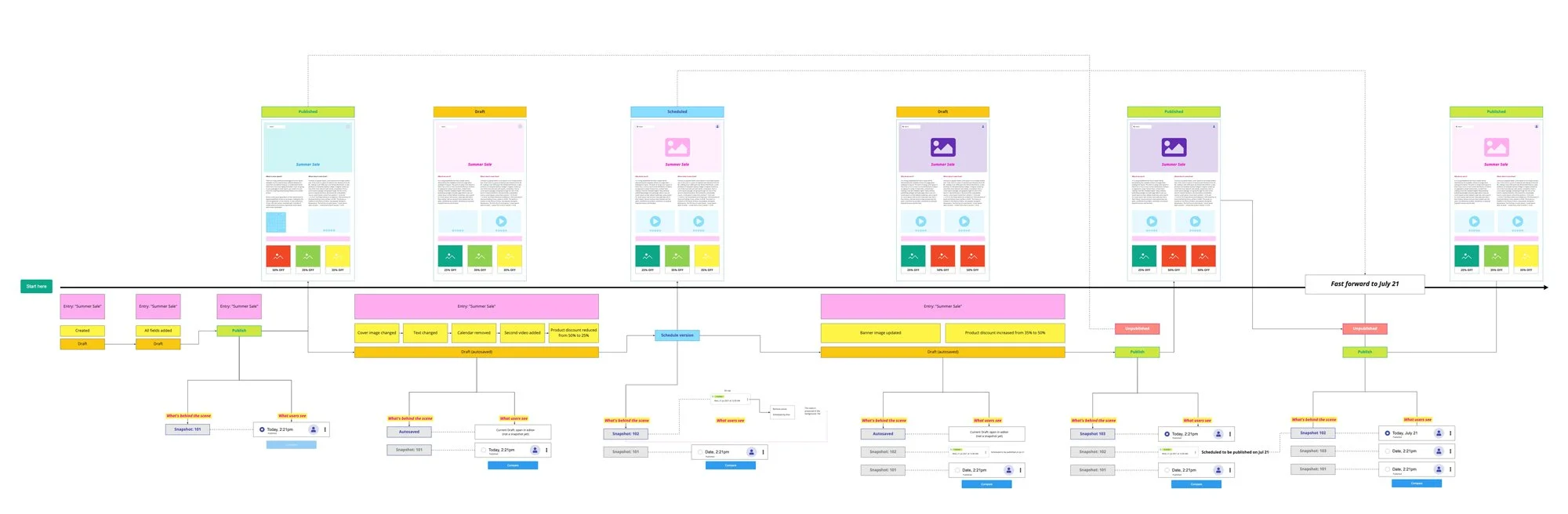
I drew a process diagram to capture the backend changes at a snapshot API level vis-a-vis the effects reflected on the entry. This helped align product and engineering on a common understanding of the concept and its boundaries. You can find a PDF version of the diagram here to better readability:
Key
screens
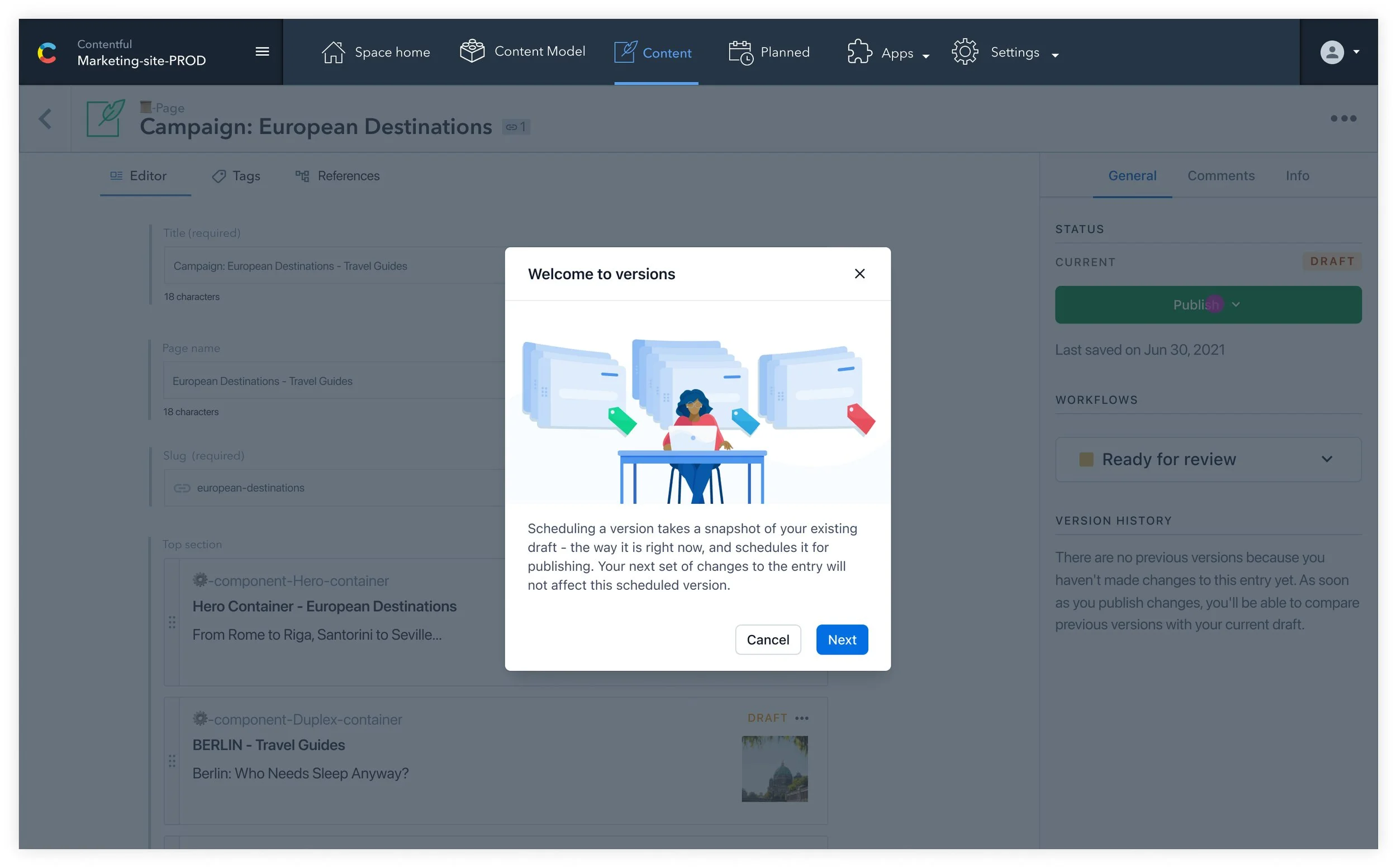
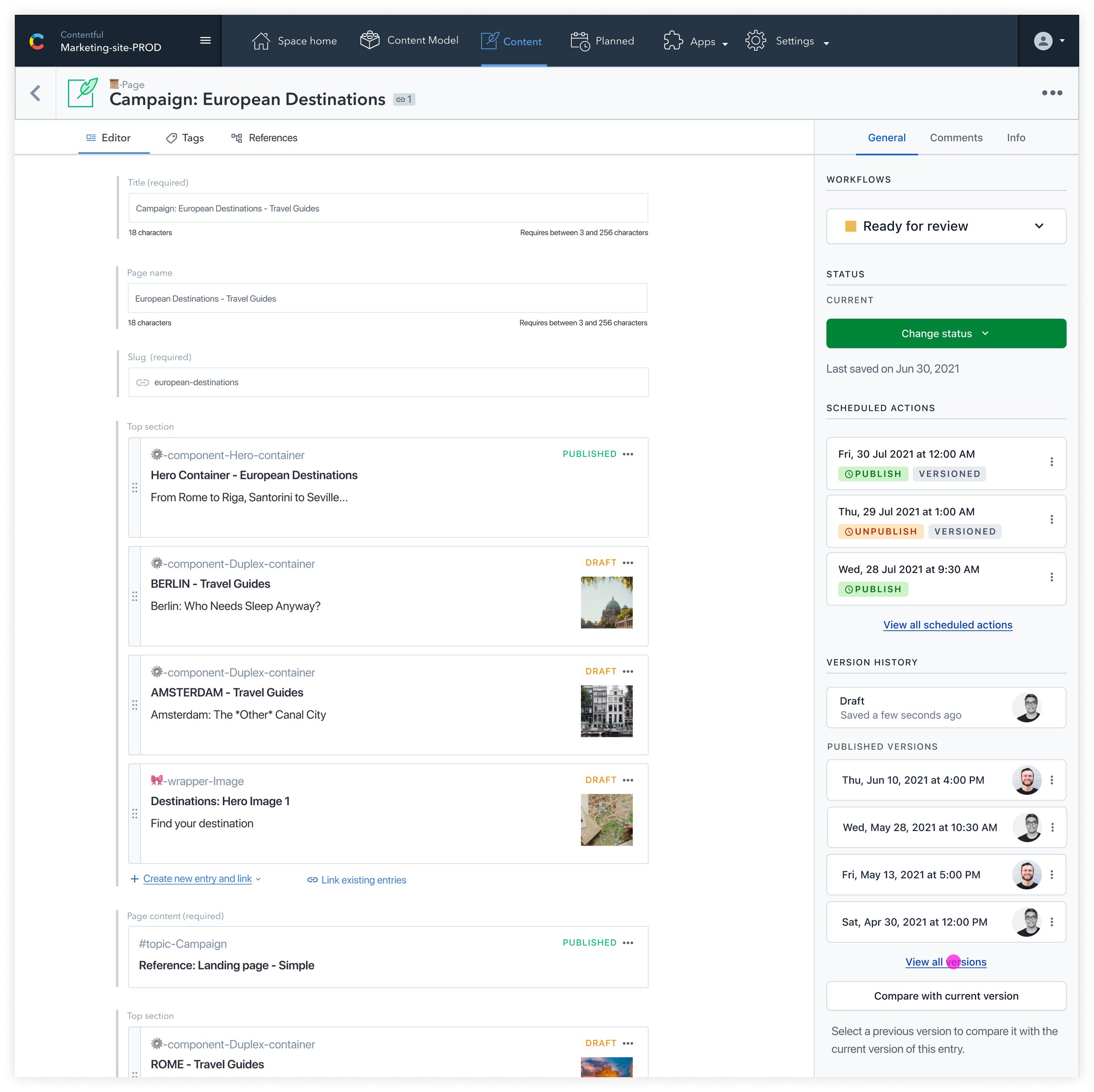
Designed lo-fidelity for quick iterations and internal feedback, followed by hi-fidelity key screens and prototypes. I shared these with the cross-functional stakeholders for their inputs and feedback.
![Versions [Journey Map] - Multiple versions selected.jpg](https://images.squarespace-cdn.com/content/v1/5e554a41b2e16453bec996ee/5cd27943-dc89-4026-86c5-78d65937c1c9/Versions+%5BJourney+Map%5D+-+Multiple+versions+selected.jpg)
![Versions [Journey Map] - Copy of Versions view.jpg](https://images.squarespace-cdn.com/content/v1/5e554a41b2e16453bec996ee/145c9401-c83d-4024-8ff8-90c6b16876c2/Versions+%5BJourney+Map%5D+-+Copy+of+Versions+view.jpg)
![Versions [Journey Map] - Copy of Selected version.jpg](https://images.squarespace-cdn.com/content/v1/5e554a41b2e16453bec996ee/8f8b78c0-e011-49b1-bcba-5af0ab59a98b/Versions+%5BJourney+Map%5D+-+Copy+of+Selected+version.jpg)
Prototypes
Created a few sets of clickable prototypes for demo and then for usability testing.
🧪
Usability testing
We conducted usability testing using clickable prototypes with some of the customers of Contentful. The results guided us to clearer solutions.

Insights from user testing
-

Concept Clarity
Users are aligned with concept & terminology. Users appreciated the copy around versions that communicated how versions really work. This small snippet of information during the tasks helped set the context and users knew what to expect from versions. In the next set of iterations, it will be crucial to retain this short user-manual in the UI.
-

Scheduling ≠ Versioning
Users would like the entry versions to be decoupled from the scheduling. This means versions can be created independently and thereafter managed by users without having a scheduled action attached to them. After doing the tasks, the users found the coupling of the two concepts: creating versions and scheduled actions to be confusing.
-
Visible & Editable
Users want to know what a version contains before actioning on them. A scheduled version etched it time that is immutable or uneditable is not preferred by the users. Instead they would like to create different versions on the go and then jump into each of them, make changes etc.
-
Naming Versions
Different users throughout the testing expressed their needs to name a version their way, in the beginning of the process.
New constraints and challenges
Even with the user testing results and iterations, we still had a few unanswered questions. The feedback from PAB and stakeholders too helped us relook at the problem.
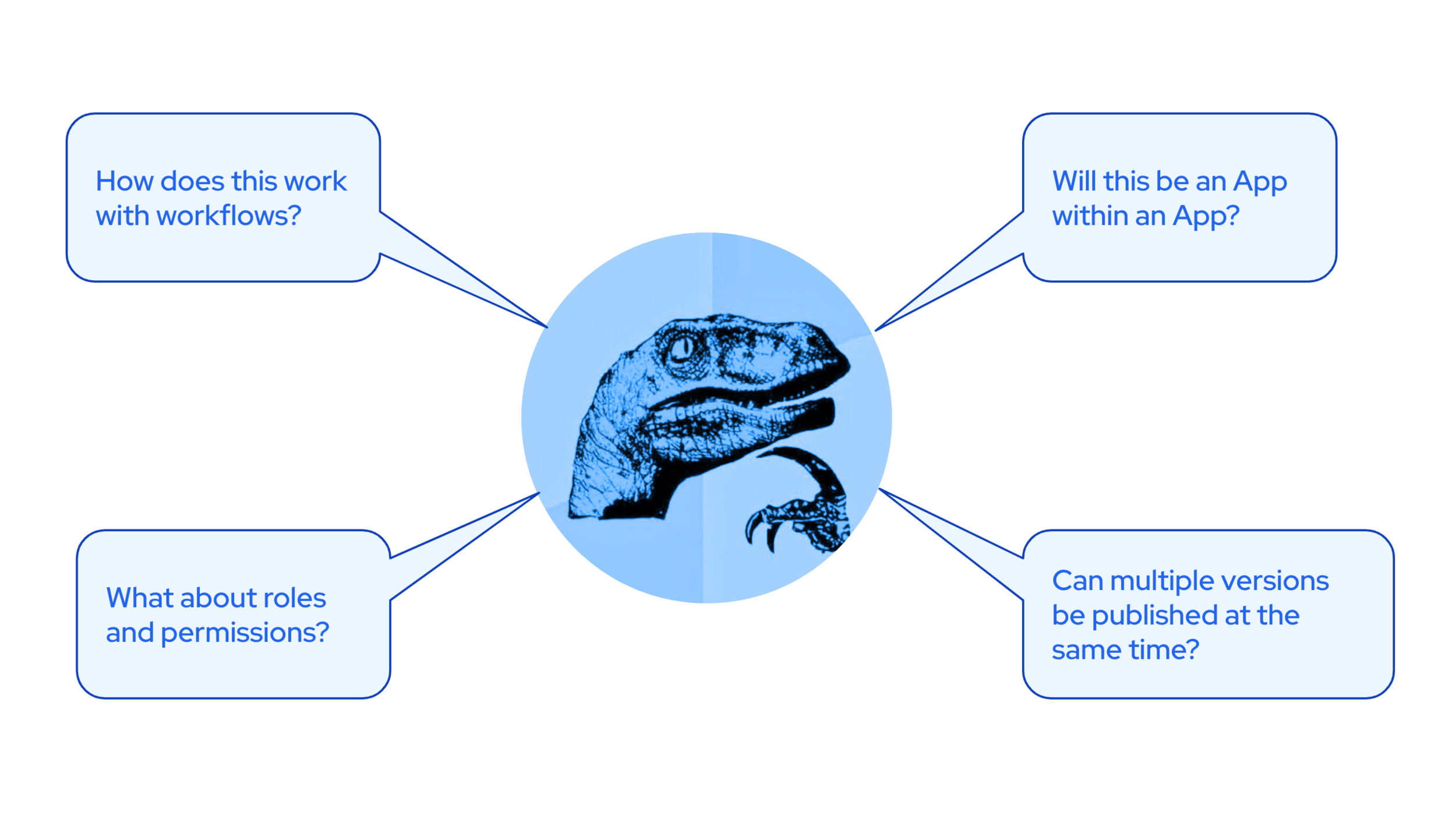
Alongside other priorities, the leadership did not approve of an investment of 6-7 sprints. The delivery timeline had to trimmed down to 3-4 sprints of engineering delivery. Additionally, an Early Access Program (EAP) was put in place before it was made available for General Availability (GA).
Revisit the problem
We revisited to the original problem statement and the set of expectations that come along with “Versions” as the solution. The way forward was to detach ourselves from thinking of Versions as the only solution for tackling this problem. And we came up with something different altogether - Scheduled Field Updates.
The solution would enable users to schedule iterative content using a one reference field that they can set up, using the App framework. Not only is this solution quite lightweight to build, but it also caters to most of the examples that our customers shared. And this involves no duplication of the main entry as it was the case with versions, neither does it interrupt any workflows, roles and permissions. And this is the solution we’re going ahead with for EAP. We’ll also collect customer feedback as we build and launch and iterate based on the insights that we find.
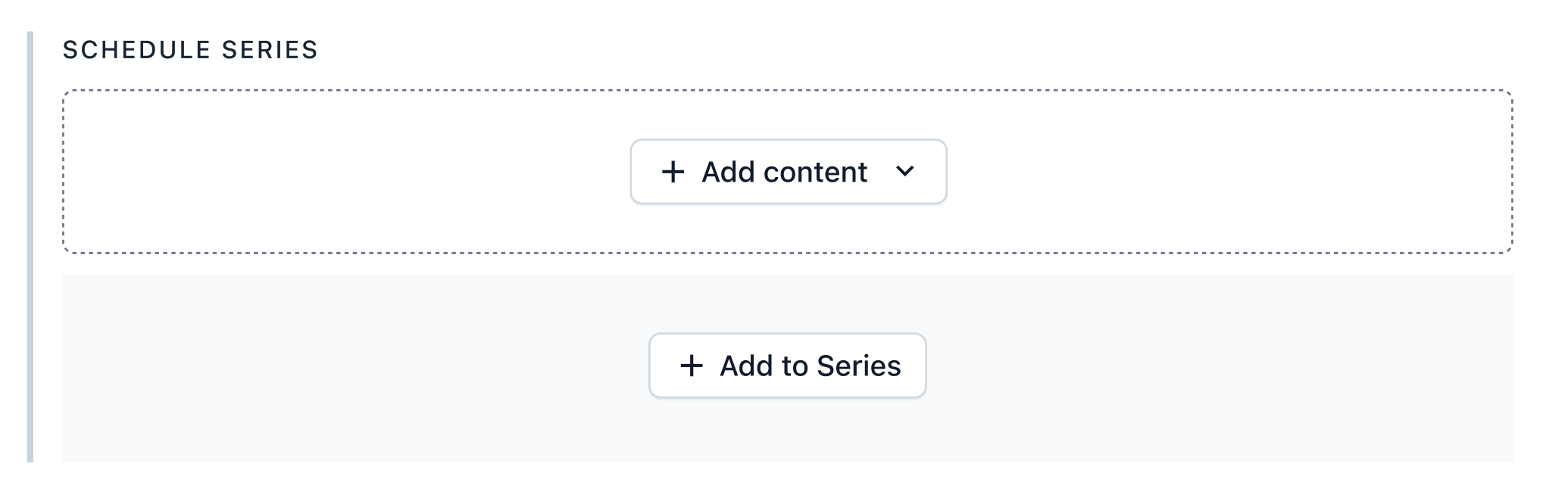
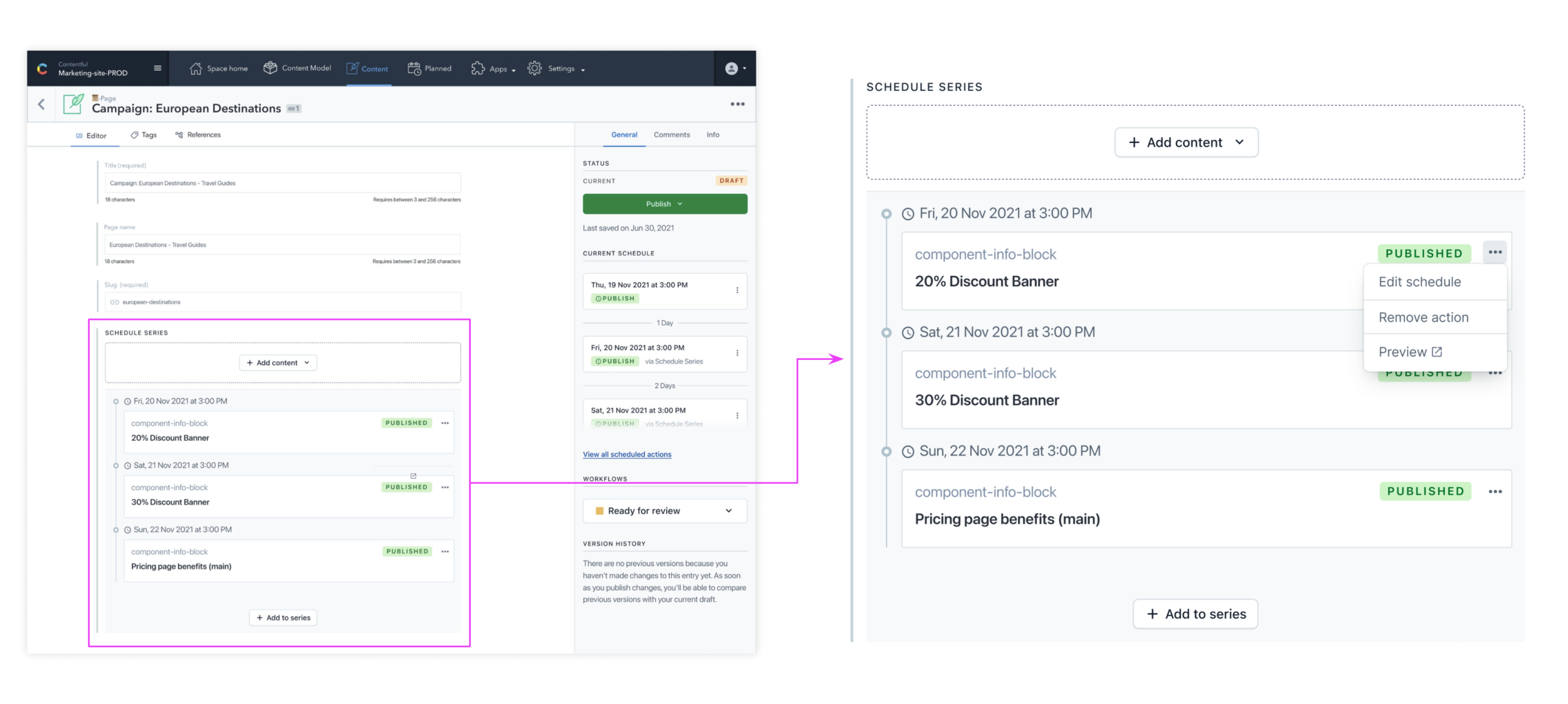
Schedule Series
This feature, which comes as an app that can be installed on any space, enables a new way of interacting with one-to-one reference fields. These reference fields will then allow multiple values to be specified, independently to the draft state for that piece of content. To use a common example, you may have a page entity that points to a single “Hero” content type. Through the Schedule Series app, you would be able to schedule up to 10 alternate hero designs ahead of time. This enables supporting upcoming campaigns, or customising a homepage based on public holidays in your region.
Learnings
-
Fast Pivots
The non-linear approach, helped move back-and-forth in the development cycle and gather insights. The focus was always at moulding a solution that is light enough to be built faster and tested with users.
-
Adaptability
Letting-go of initial ideas. Incorporating different perspectives to mould the right solution. We as a team were flexible to integrate different perspectives and let go of our initial approach.
-
Rich drawing board
In the process our previous iterations created a rich repository of other ideas. In future, if we plan to move in the directions of versioning, we can fall back upon some of these earlier findings and scale them.
-
Lo-fi
Keep design flows low fidelity for faster iterations and focussed feedback. Especially as a designer, I’ve found myself very often using our design library assets which makes the visuals look very close to the actual UI. However, I realised that it may not be the best approach for a project with high degrees of ambiguity.
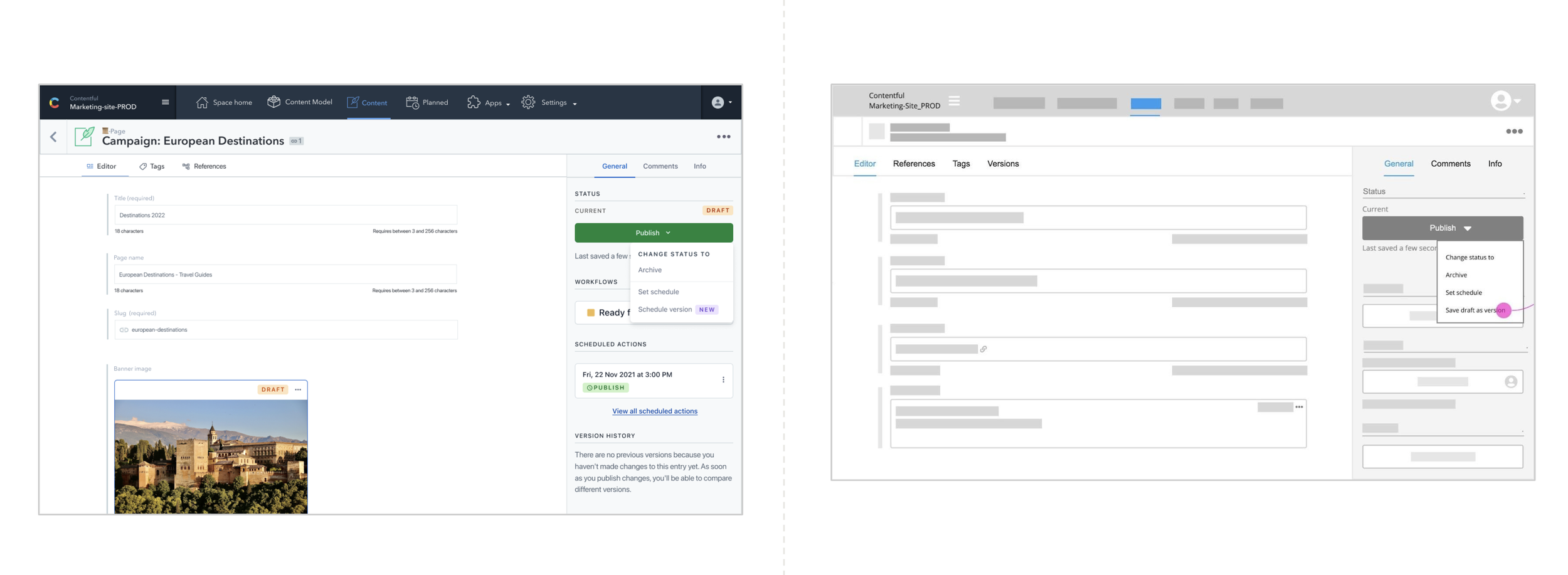
Lo-fi: To share an example, the UI on the right is what it looks like when we trim it down to only the key interactions and take out everything else that remains as-is.
Prologue: Where it all began
The Content Version solution originated during one of our innovation workshops, which served as the starting point for the project. In the video below, I walk through the exercises we used to develop the concept in collaboration with a cross-functional team of researchers, designers, engineers, product managers, and technical leads.